 Glok
Your devices.One private network.
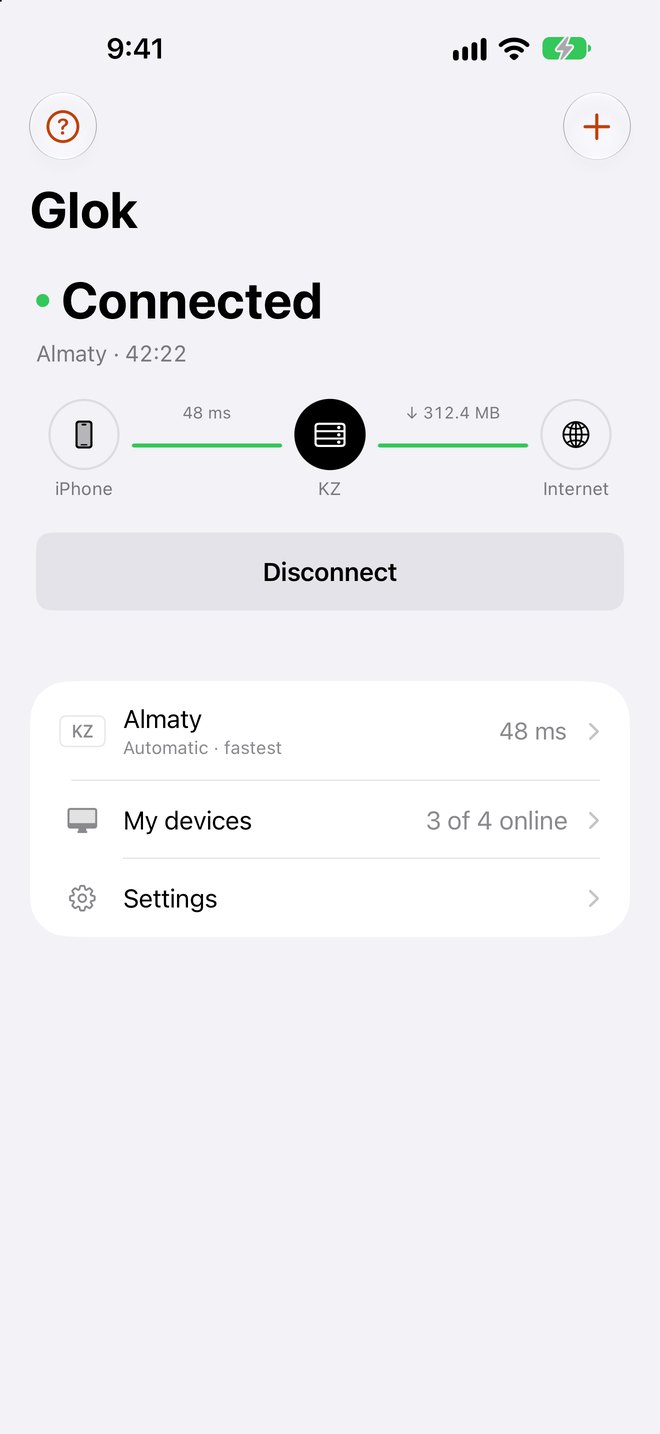
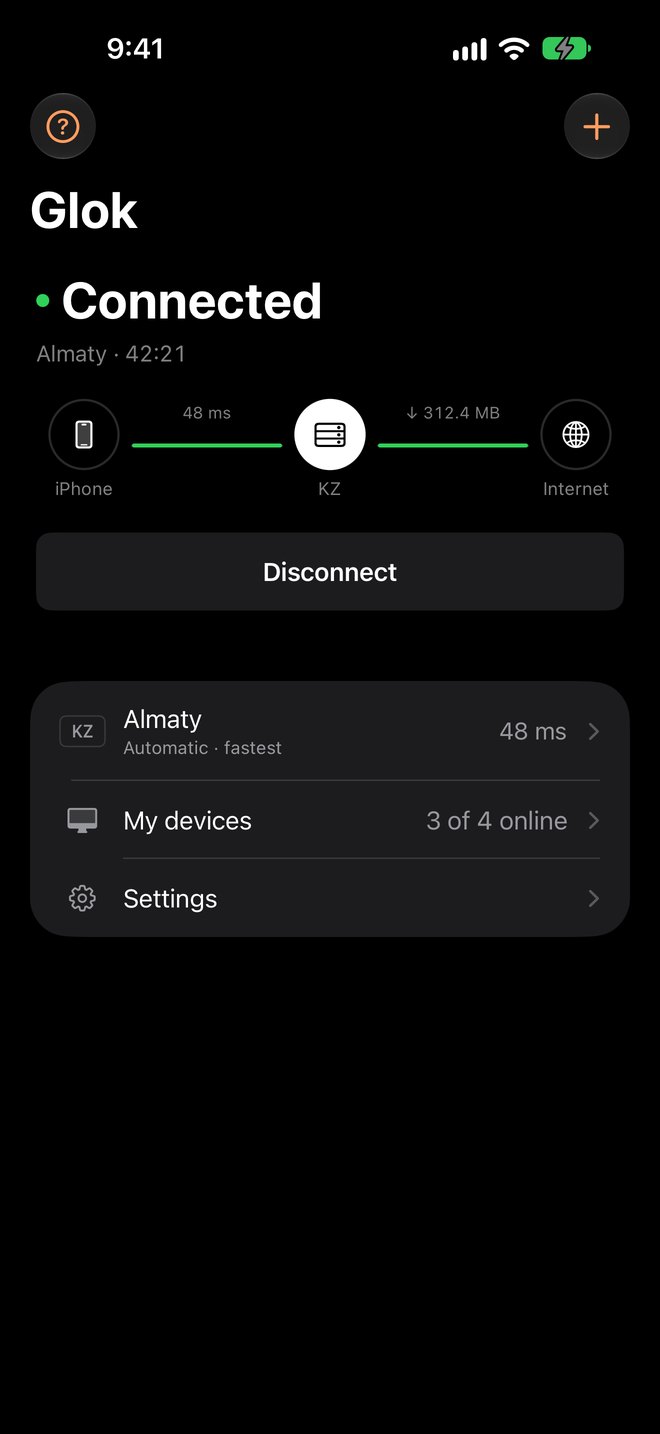
Glok connects your iPhone to a server you control. Your computer, printer, camera and storage answer as if you were in the same room.
Glok for iPhone
One app, no account. Bring the server you set up yourself or the one your organisation gave you.
- iPhoneiOS 17 or later
- App Storesoon
- Pricefree, no purchases
- LanguagesEnglish, Russian
Features
Everything behind your server, one tap away.
No rule editors, no config files. Glok does one job and stays out of the way.
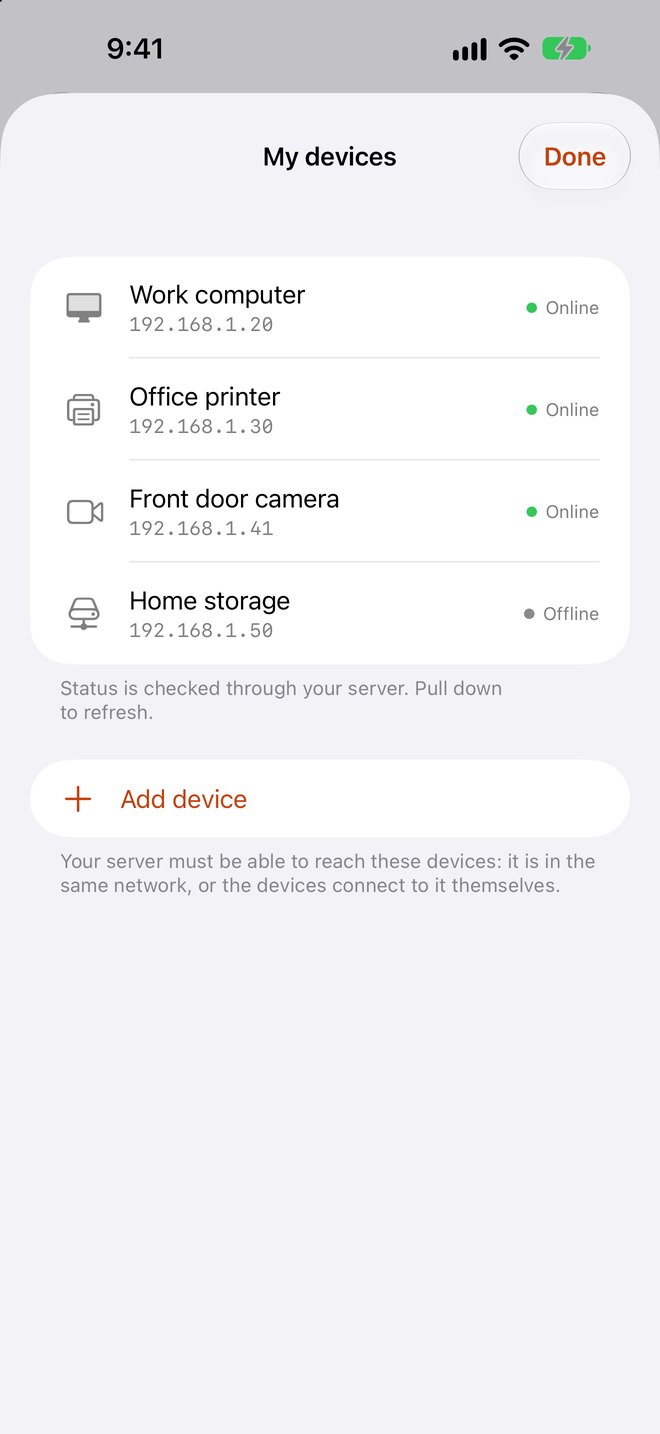
My devices
Add a computer, printer, camera, storage or router by its address in your server's network. Glok shows which ones are online and opens a device's page in one tap.
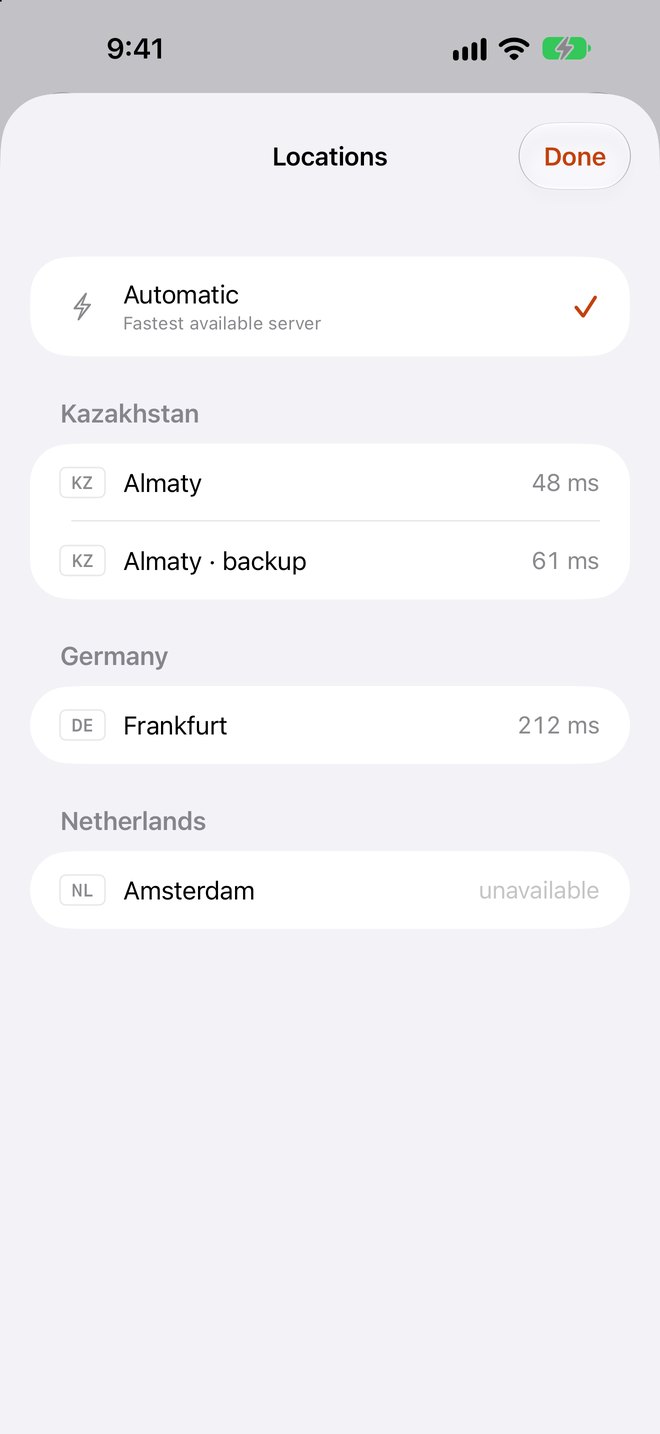
Locations
Several servers grouped by country, each with its response time. Automatic mode keeps you on the fastest one.
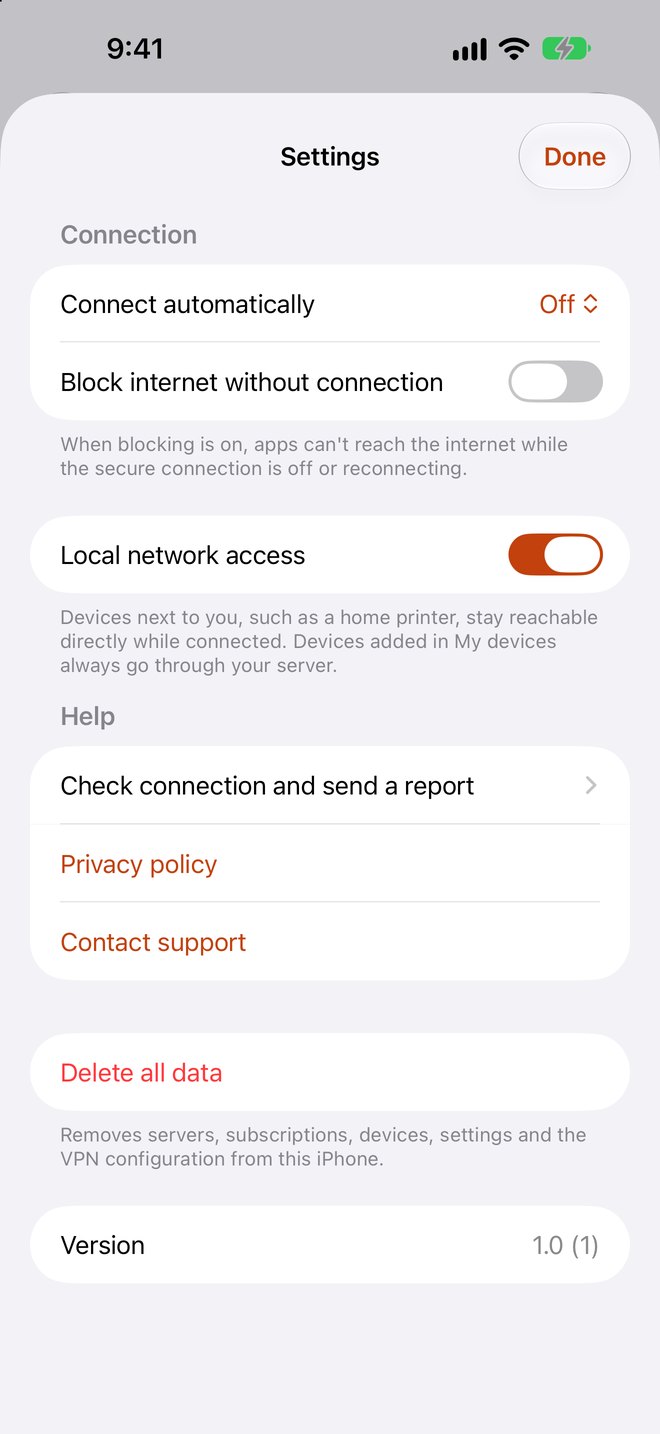
Connect automatically
Glok can connect by itself on any network, or only when you join Wi-Fi.
No connection, no internet
Optional. While the connection is off or reconnecting, apps do not reach the internet.
Local network access
Devices next to you, like the printer at home, stay reachable directly. Devices from My devices always go through your server.
Connection check
One button that says in plain words what is wrong: the server is unreachable, the link is outdated or the internet is down.
My devices
Six kinds of devices, checked the way they answer.
Glok knows the usual port for each kind and uses it to tell whether the device is online. You can set your own.
The app
Plain iOS. Nothing to learn.
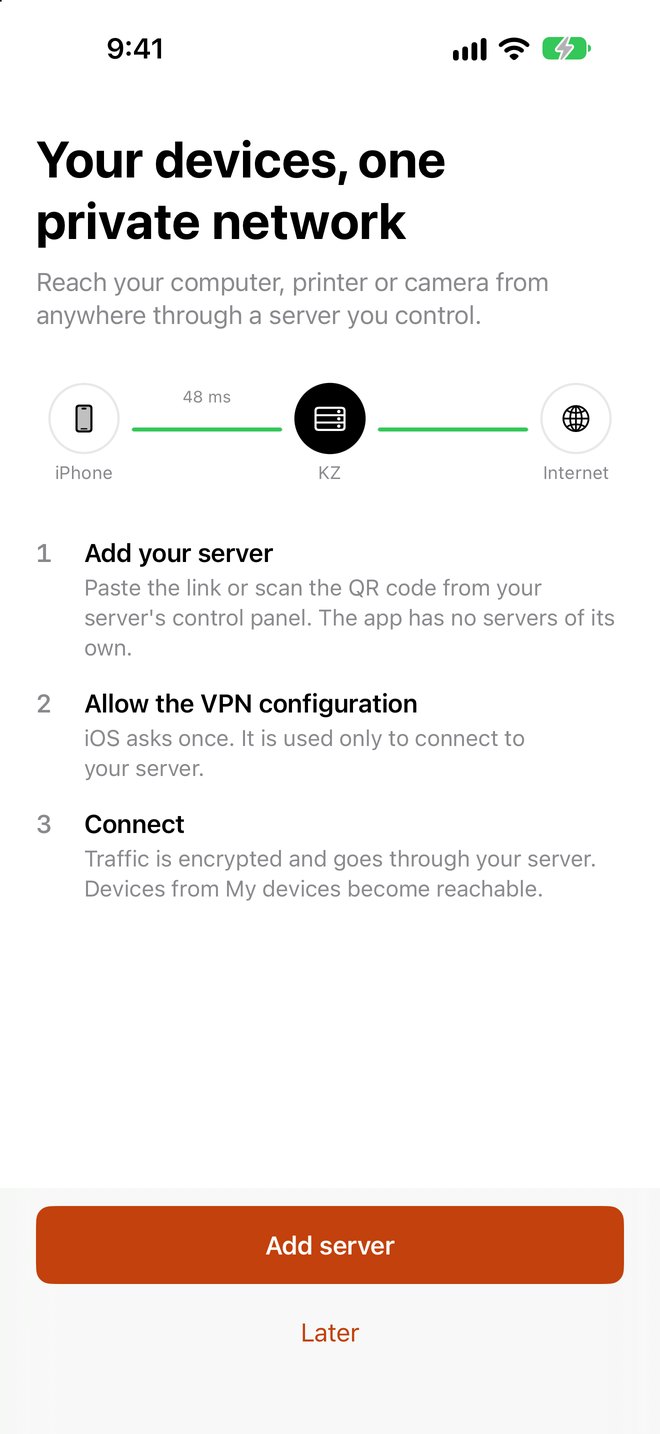
How it works
Three steps, then one button.
Add your server
Paste the link or scan the QR code from your server's control panel. A subscription link adds all of its servers and keeps them current.
Allow the VPN configuration
iOS asks once. It is used only to connect your iPhone to your server.
Connect
Traffic is encrypted on the way to your server. Your devices become reachable from anywhere.
Privacy
Nothing about you leaves your iPhone.
Glok has no servers of its own, so there is nowhere for your data to go.
Read the privacy policy →- 0accounts. Nothing to sign up for.
- 0analytics. No usage statistics, no third-party SDKs.
- 0ads. None, and no purchases either.
- 0servers of ours. Traffic goes to the server you added. We cannot see it.
Questions
Before you install.
- Where do I get a server?
- Glok works with a server you set up yourself or one your organisation gives you. Its control panel shows a link or a QR code.
- Does Glok sell access or subscriptions?
- No. Glok is a free app without purchases, accounts or servers of its own.
- Why does iOS ask to add a VPN configuration?
- That is how iOS lets an app send traffic through your server. Glok uses it only for that connection.
- Something does not open. What now?
- Open Help → Check connection in the app, then write to support@glok.site and attach the report.